> ## Documentation Index
> Fetch the complete documentation index at: https://docs.craftlands.host/llms.txt
> Use this file to discover all available pages before exploring further.
# Configuring a Reverse Proxy
> Route custom domains or CraftLands subdomains to your server using our built-in reverse proxy—covering DNS records, proxy creation, and allocation selection.
## How to Configure a Reverse Proxy
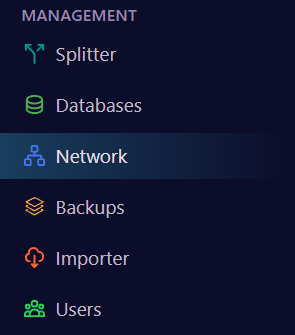
1. **Open Network Settings**
* In the left menu, click **Network**.
 2. **Configure DNS Records**
* **Custom Domain:**
1. Copy your server’s IP address.
2. In your DNS provider, create an **A record**:
* **Name:** the prefix you want (e.g., `map`)
* **Value:** your server IP
* **CraftLands Subdomain:**
1. Under **Subdomain**, select your main domain (e.g., `fastserver`).
2. In the **Subdomain** field, enter the prefix you want (e.g., `map`).
3. **Create the Proxy**
* In the **Network** menu, click **Reverse Proxy**.
* Click **Create Proxy**.
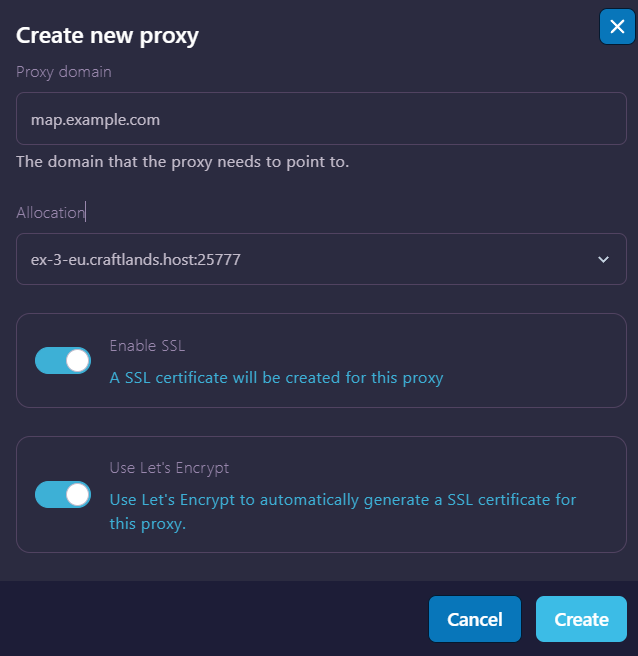
4. **Set Proxy Details**
* **Proxy Domain:**
* Enter the full domain you just configured (e.g., `map.example.com` or `map.fastserver.host`).
* **Allocation:**
* Select the allocation running your site (for example, the port used by Dynmap).
5. **Save and Apply**
* Click **Create** (or **Save**) to finalize your proxy.
* Restart or start your server to activate the reverse proxy.
2. **Configure DNS Records**
* **Custom Domain:**
1. Copy your server’s IP address.
2. In your DNS provider, create an **A record**:
* **Name:** the prefix you want (e.g., `map`)
* **Value:** your server IP
* **CraftLands Subdomain:**
1. Under **Subdomain**, select your main domain (e.g., `fastserver`).
2. In the **Subdomain** field, enter the prefix you want (e.g., `map`).
3. **Create the Proxy**
* In the **Network** menu, click **Reverse Proxy**.
* Click **Create Proxy**.
4. **Set Proxy Details**
* **Proxy Domain:**
* Enter the full domain you just configured (e.g., `map.example.com` or `map.fastserver.host`).
* **Allocation:**
* Select the allocation running your site (for example, the port used by Dynmap).
5. **Save and Apply**
* Click **Create** (or **Save**) to finalize your proxy.
* Restart or start your server to activate the reverse proxy.